Headr

Siding contractor software that keeps colors, HOAs and material straight.

Siding jobs fall apart over small things: the wrong color ordered, an HOA that never signed off, trim coil that isn’t on the truck. Headr puts color selection, HOA approval and material delivery in front of the install, and splits out insurance jobs when there’s a claim.

From $29 a month. Standard is $129 for up to 25 people with a login.

How a siding job runs in Headr

These are the steps Headr sets up when you pick siding at sign-up. Steps marked have to be finished before the job moves on. Steps that only apply sometimes show up when you answer a yes or no question.

Want it shorter? The simple version is 6 steps: Measure and color selection, Sold + deposit, Material delivered, Install booked, Siding installed, Final payment. Rename, reorder or add steps any time.

Siding job

Insurance branch, HOA, tear-off, housewrap, trim, walkthrough.

  1. Measure and color selection
  2. Insurance job?Yes or no question
  3. Insurance scope approvedHas to be finished firstOnly if “Insurance job?” is yesApproval
  4. Sold + depositHas to be finished firstPayment
  5. HOA approvedHas to be finished firstApproval
  6. Material ordered and deliveredParts
  7. Install bookedBooked visit
  8. Home built before 1978?Yes or no question
  9. Lead-safe setupHas to be finished firstOnly if “Home built before 1978?” is yes
  10. Tear-off
  11. Housewrap and flashing
  12. Siding
  13. Trim, soffit and fascia
  14. Walkthrough
  15. Final paymentHas to be finished firstPayment
  16. Depreciation check collectedOnly if “Insurance job?” is yes
  17. Warranty registered and review request

What siding contractors get

HOA approval before material

HOA approved has to be finished before the job moves on, so nothing gets ordered for a house that can’t be sided yet.

Lead-safe when it matters

Ask "Home built before 1978?" and the lead-safe setup step shows up only on those houses.

Coil and trim on the shelf

Track coil, trim and fasteners in the warehouse, and see what’s ordered for each job.

Plus everything else in Headr

One calendar for installs, service and sales. A sales pipeline with estimates. Warehouse stock and parts for each job. Your own forms, automations, team chat and texts to customers. It’s all included in Standard and Pro.
See all of Headr

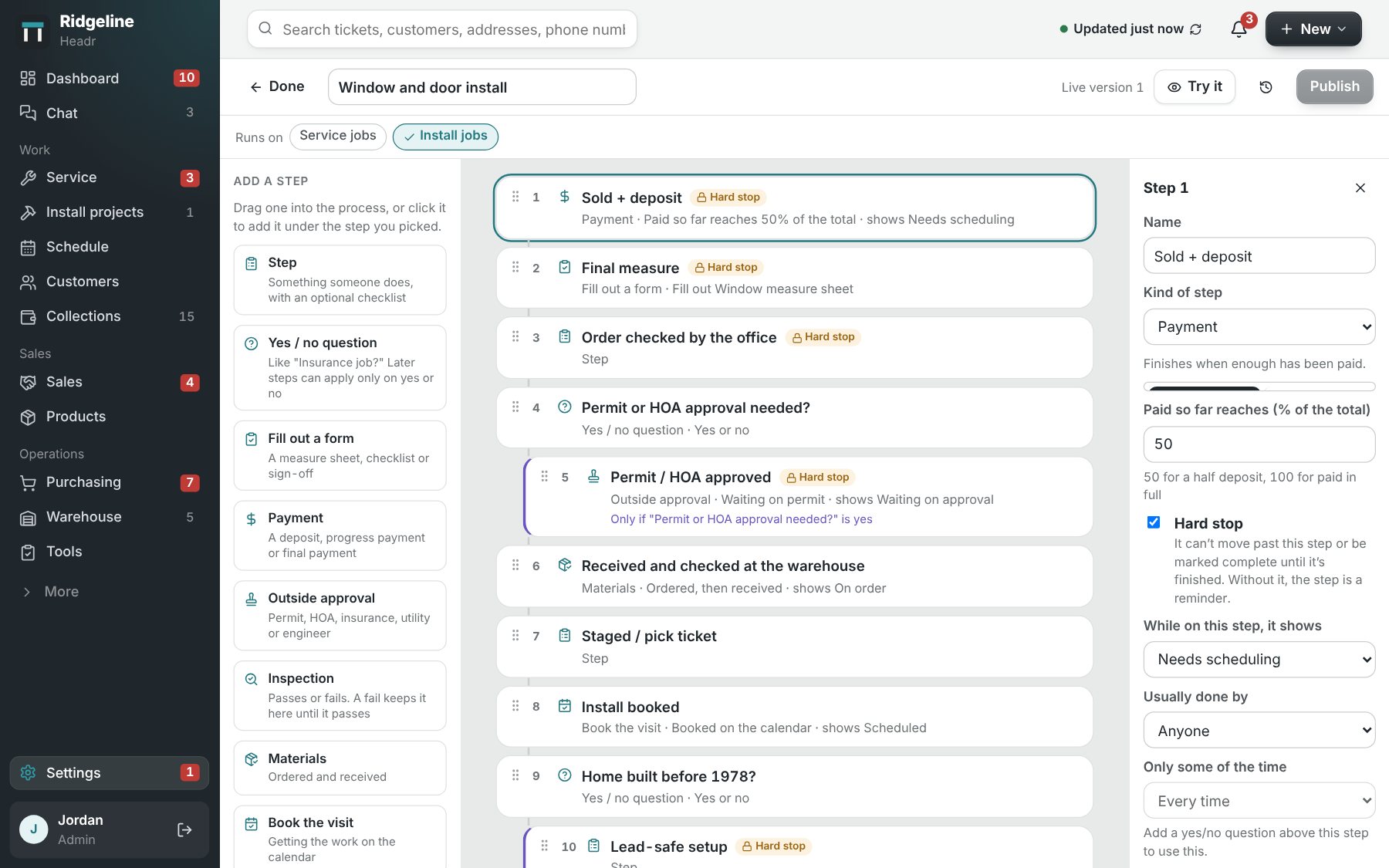
The Headr process editor, where you arrange the steps a job goes through.

Questions from siding contractors

Can Headr handle insurance siding jobs?

Yes. One question at the start brings in the insurance scope approval and the depreciation check only on insurance jobs.

Can I track trim coil and accessories?

Yes. The warehouse keeps count of stock items and when to reorder them.

Is it hard to change the steps?

No. Drag steps around, rename them, or add your own. Jobs already going keep the steps they started with.

How much does Headr cost?

Lite is $29 a month for up to 3 logins, with your trade’s ready-made steps and forms. Standard is $129 a month for up to 25 logins and includes everything. Pro is $179 a month for up to 50 logins, with 1 TB of storage, more AI help and faster support. Crew members you only put on the schedule are free on every plan.

Is there a free trial?

Yes. Try it free for 14 days with your own jobs and crew.

Try it on your next siding job.

Try it free for 14 days